Quantum XL Features

Finally, the fusion of statistical analysis and Monte Carlo simulation in one awesome app. Why copy and paste when you can perform the analysis right in Excel?
Main features include:
Define your inputs and outputs using Excel formulas and run fast Monte Carlo Simulations - up to 2 million simulations in one second when running in Rocket Mode.

Analysis Tools – Histogram, Pareto, Box Plot, Scatter, Dot Plot, Cpk :
Quantum XL supports a wide range of analysis tools that are updatable and support the same data sources (Excel workbook, Group By format, SQL data source, Manual data source). Analysis tools includes: Capability Analysis (Cpk), Histogram, Distribution Fit, Pareto, Box Plot, Dot Plot, Scatter Plot, Multi-Vari.

Hypothesis Test for Mean, Median, and Variance :
You can let Quantum XL run the most appropriate test for your data (AutoTest), ask Quantum XL to help you decide which test to run (Advisor Wizard), or run one of the 18 different supported hypothesis tests: AutoTest, Advisor Wizard, Tests for variance, Tests for mean, Tests for median, Attribute tests, Test for normality, Power and sample size analysis.

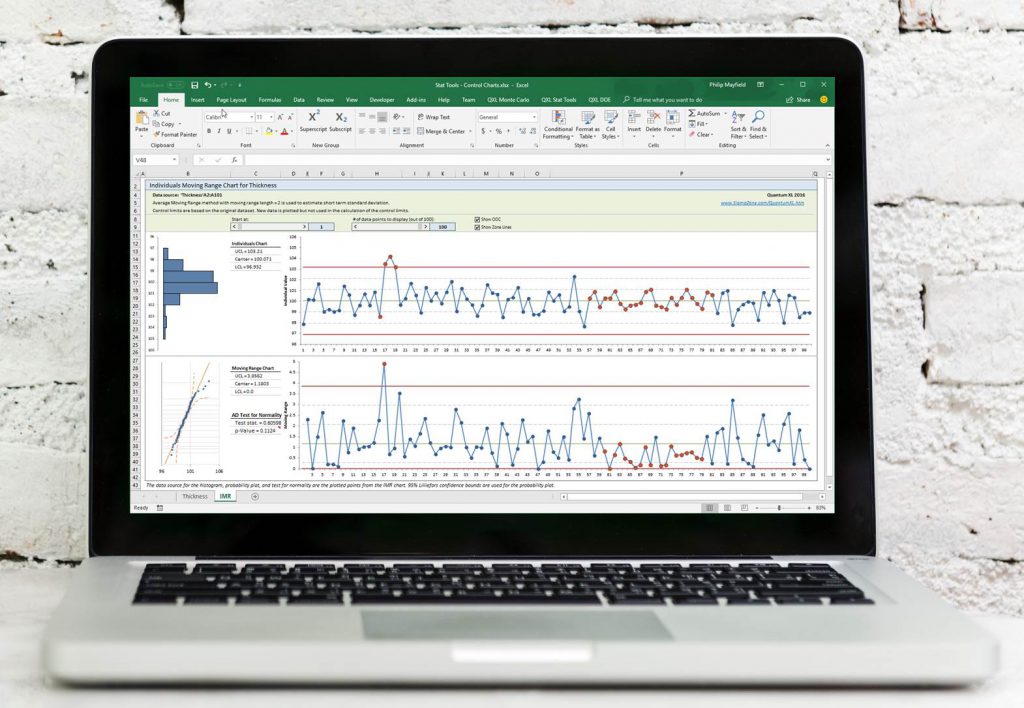
Control Charts are used for identifying if a process is in control or not. Quantum XL supports control charts for both variables and attributes data (XbarR chart, XbarS chart, IMR chart, p Chart, np Chart, c Chart, u Chart)

Measurement System Analysis (MSA):
Evaluate the uncertainty in a measurement system using Quantum XL's MSA. Quantum XL's XbarR and ANOVA analysis methods are compliant with the AIAG Measurement System Analysis 4th edition.

Component Swapping is a process used during divide and conquer to rapidly determine if a branch contains the root cause(s). It involves changing components between a Best of Best(BOB) and a Worst of Worst (WOW) system.

Integrated SnapSheets module creates and modifies Houses of Quality, Failure Mode and Effects Analysis, and Pugh Matrices in Microsoft Excel. All of the analysis are Excel worksheets and charts, and can be shared with anyone that has Excel.

Decision Tree is a visual decision making tool where the Expected Value or Expected Cost of a decision is structured and evaluated. It consists of branches and 3 types of nodes.
Design Structure Matrix is a compact matrix representation of a system. It is a square matrix that lists all system activities and dependencies between them. Quantum XL will allow you to create, modify and sequence DSM.

Convenient way to collect your data in Excel and run Quantum XL analysis.

Data for statistical tools in Quantum XL can come from a Data Template worksheet, Excel spreadsheet, an SQL data source, or it can be entered manually.

Transform your data between stacked and unstacked data formats in Excel.
Random data can be generated from one or more of the supported distributions including Normal, Exponential, Uniform, Triangular, Log-Normal, Weibull, Gamma, Logistic, LogLogistic, Uniform Discrete, Poisson, Binomial, and Binary. 
See also: