
Note: This page applies to Quantum XL - Version 17 and earlier only.
Change the Blank Workbook Setting
- In Excel, on the Quantum XL menu, select Options.
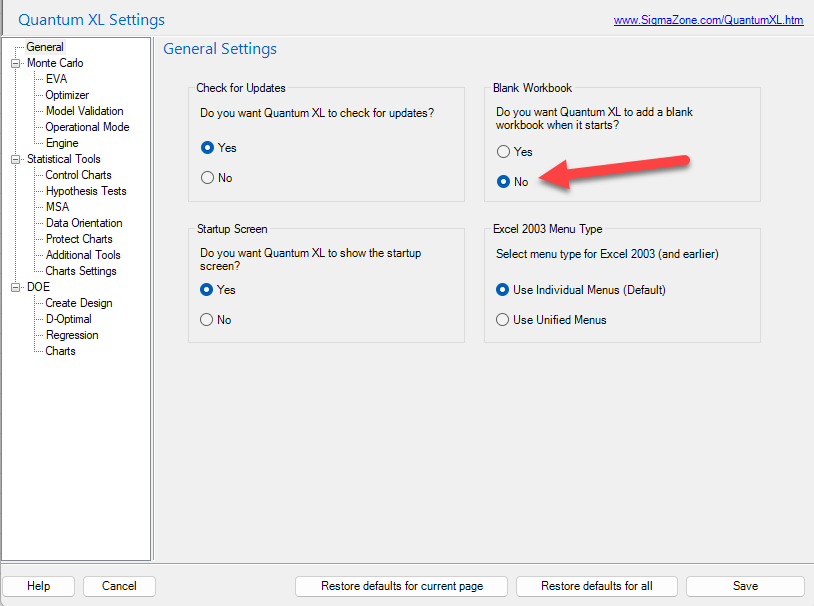
- In the left navigation, select General.
- Under Blank Workbook, change Do you want Quantum XL to add a blank workbook when it starts? to No.
View screenshot ▼
- Click Save to confirm the change.